🔑 비밀번호 재설정 방법
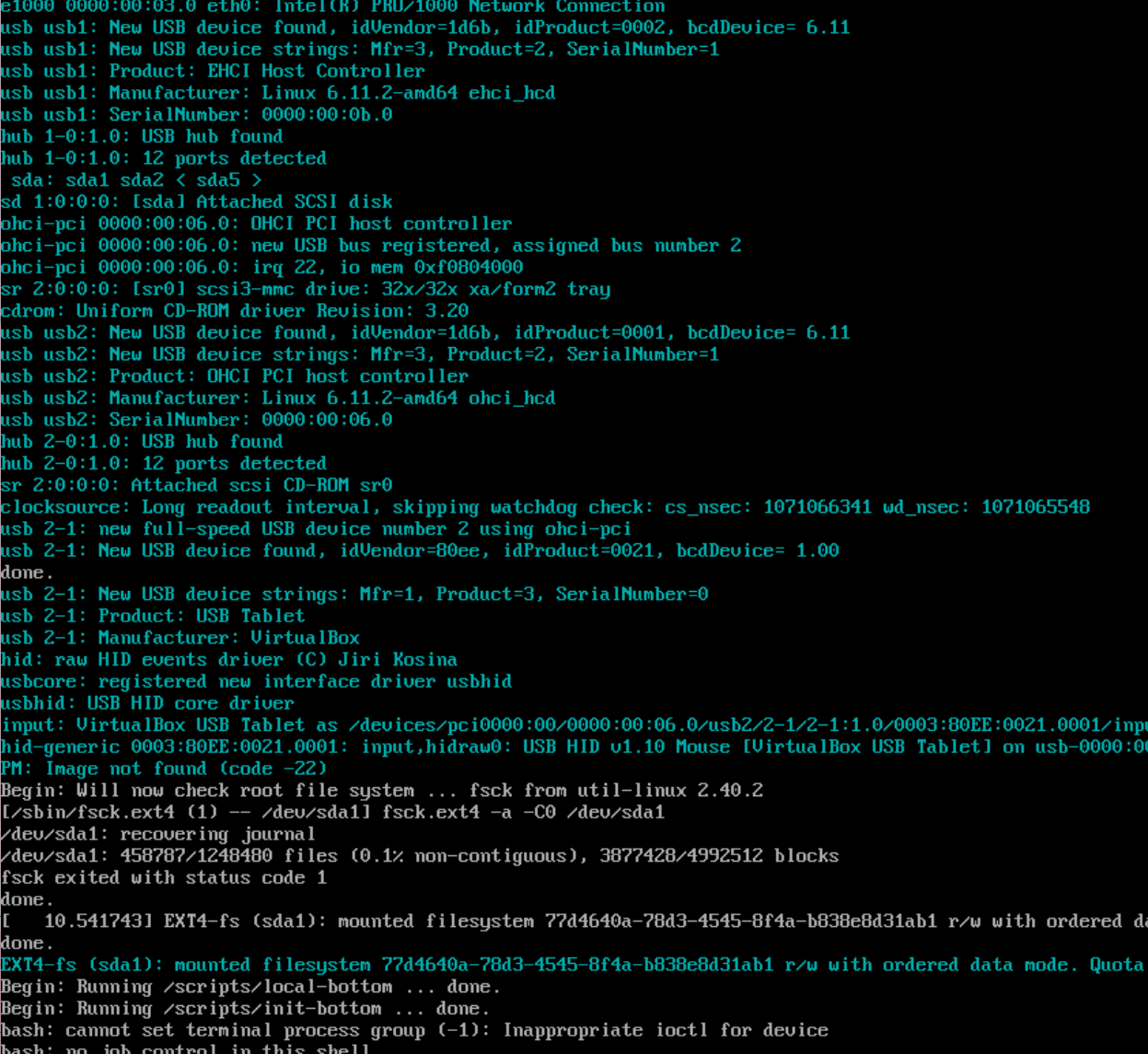
Kali를 부팅할 때 비밀번호를 잊었다면, 다음과 같은 과정을 통해 초기화할 수 있습니다.
- Grub 부트 메뉴에서 Kali Linux 항목을 선택한 뒤 e 키를 눌러 편집 모드 진입.
- linux로 시작하는 줄 끝에 init=/bin/bash 추가.
- Ctrl + X 또는 F10으로 부팅.
- 루트 쉘에서 아래 명령어로 비밀번호 재설정:
-
bash
- 재부팅 후 변경된 비밀번호로 로그인!
mount -o remount,rw / passwd🛠️ PCAP 과제 준비 - 개발 환경 구성
1. 필요한 패키지 설치
bash
sudo apt update sudo apt install libpcap-dev gcc2. C 코드 작성
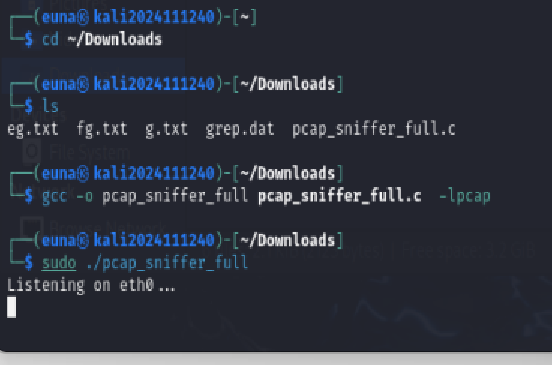
pcap_sniffer_full.c 파일을 생성하고 아래와 같이 코드를 작성
📂 파일명: pcap_sniffer_full.c
<details> <summary>코드 보기</summary>
#include <pcap.h>
#include <stdio.h>
#include <arpa/inet.h>
#include <netinet/if_ether.h>
#include <netinet/ip.h>
#include <netinet/tcp.h>

int main() {
    char errbuf[PCAP_ERRBUF_SIZE];
    pcap_t *handle = pcap_open_live("eth0", BUFSIZ, 1, 1000, errbuf);

    if (handle == NULL) {
        fprintf(stderr, "Couldn't open device: %s\n", errbuf);
        return 2;
    }

    printf("Listening on eth0...\n");

    while (1) {
        struct pcap_pkthdr header;
        const u_char *packet = pcap_next(handle, &header);
        if (packet == NULL) continue;

        struct ether_header *eth = (struct ether_header *)packet;
        struct ip *ip = (struct ip *)(packet + sizeof(struct ether_header));

        printf("\n==> Packet Captured (%d bytes)\n", header.len);
        printf("[Ethernet] Src MAC: %02x:%02x:%02x:%02x:%02x:%02x | Dst MAC: %02x:%02x:%02x:%02x:%02x:%02x\n",
            eth->ether_shost[0], eth->ether_shost[1], eth->ether_shost[2],
            eth->ether_shost[3], eth->ether_shost[4], eth->ether_shost[5],
            eth->ether_dhost[0], eth->ether_dhost[1], eth->ether_dhost[2],
            eth->ether_dhost[3], eth->ether_dhost[4], eth->ether_dhost[5]);

        if (ip->ip_v == 4) {
            printf("[IP] Src IP: %s | Dst IP: %s\n", inet_ntoa(ip->ip_src), inet_ntoa(ip->ip_dst));
        }
    }

    pcap_close(handle);
    return 0;
}
🔧 컴파일 및 실행 방법
bash
cd ~/Downloads gcc -o pcap_sniffer_full pcap_sniffer_full.c -lpcap sudo ./pcap_sniffer_full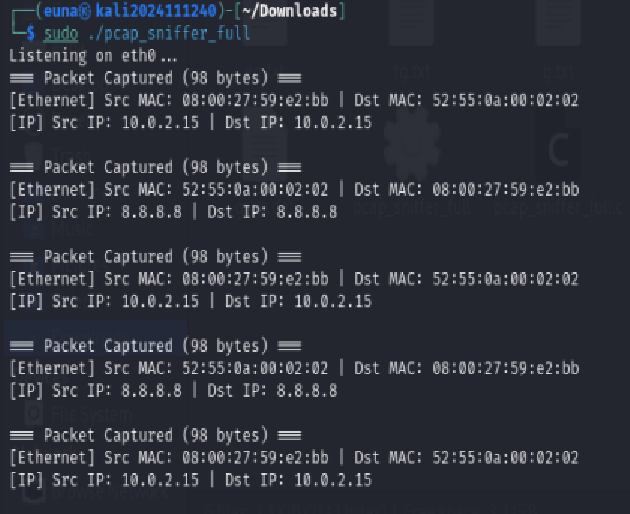
📌 마무리
- eth0 인터페이스에서 실시간으로 패킷을 감지하여, Ethernet 및 IP 헤더 정보를 출력합니다.
- Kali 내부에서 ping 명령을 통해 테스트 패킷을 생성하면, 해당 정보가 실시간으로 캡처되어 출력됩니다.